
♥ Wishlist
Compare 53 verified Doorbell Camera for Smarter Home Security products in United Kingdom. Reviews, ratings, pros, cons and buying advice updated for November 2026.

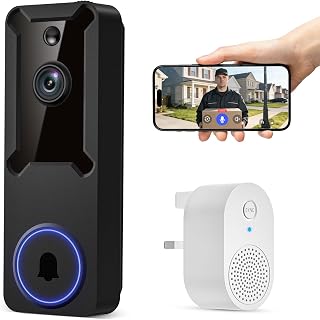


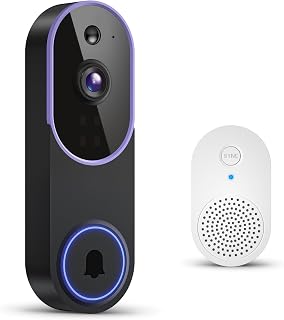
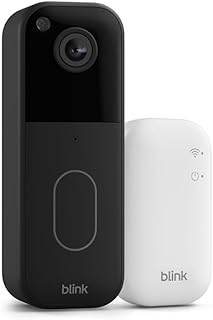


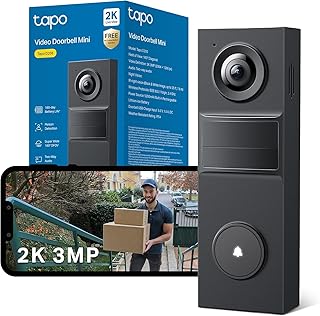


A doorbell camera can provide a useful combination of video monitoring, visitor detection, two-way communication and security awareness at the entrance to your home. The right model depends on much more than image quality alone. Installation method, power supply, Wi-Fi performance, night vision, motion detection, storage options, weather resistance, privacy controls and ongoing subscription costs can all affect whether a particular doorbell camera is suitable for your property.
For UK households, it is also worth considering the physical position of the front door, the distance between the doorbell and the router, exposure to rain and cold weather, the availability of existing doorbell wiring and the type of property. A device that works well for a detached house may not be the best choice for a flat, terraced property or entrance opening directly onto a public pavement.
This buying guide focuses on the features and specifications that matter when comparing doorbell cameras from established manufacturers such as Ring, Google Nest, Eufy, Arlo, TP-Link Tapo, Reolink and Aqara. Rather than assuming one model is ideal for everyone, compare the complete specification and ownership requirements against the way you intend to use the camera.
Resolution is one of the first specifications shoppers notice, but it should not be considered in isolation. A higher-resolution sensor can provide more detail when identifying a visitor, reading information on a parcel or examining activity around an entrance, provided the lens, lighting and video processing are also capable of producing a clear image.
1080p video can be adequate for many conventional doorbell applications, while higher-resolution models may provide additional detail for larger viewing areas. Some cameras use wider or taller aspect ratios to show more of the area immediately in front of a door, which can be particularly useful for seeing packages placed close to the threshold.
When comparing specifications, look at resolution alongside field of view, frame rate, HDR or equivalent image-processing features, low-light performance and lens design. A high pixel count does not automatically guarantee a better image in every situation.
The viewing angle determines how much of the entrance area the camera can see. A wide horizontal field of view can be useful for monitoring visitors approaching from either side, while increased vertical coverage can help show people standing close to the door and parcels left underneath the camera.
Doorbells with a taller viewing format can be particularly attractive for homes where deliveries are commonly left immediately below the camera. Before buying, consider the height at which the doorbell will be installed and whether the camera can see the areas that actually matter.
Extremely wide-angle lenses can introduce some distortion towards the edges of the image. This is not necessarily a problem, but it is worth considering if accurate proportions and identification detail are important.
Front entrances can create challenging lighting conditions. A doorway may be shaded while the garden or pavement is brightly illuminated, or direct sunlight may enter the camera's field of view at particular times of day.
HDR or similar image-processing technology can help balance bright and dark areas, potentially making faces and other objects easier to see when there is a strong difference between foreground and background lighting. This is particularly relevant for doors facing bright outdoor areas.
Night vision is an important consideration because a doorbell camera may spend a substantial amount of time operating in low light. Infrared night vision can illuminate a scene without requiring visible lighting, while some models also use colour night vision or additional illumination when conditions allow.
Do not judge night performance solely from a marketing description. Consider the camera's night-vision range, whether infrared LEDs are built in, how close objects will be to the lens and whether nearby walls or surfaces could reflect infrared light back into the camera.
For entrances with existing outdoor lighting, a camera with strong low-light processing can work particularly well. However, excessive lighting directly facing the lens can cause glare, so positioning remains important.
Battery-powered models are attractive when there is no suitable existing doorbell wiring. Installation can be simpler because the camera does not necessarily need to be connected to mains-powered doorbell wiring. This can also make them useful for rented properties, although permission may still be required before drilling or permanently attaching equipment.
The main trade-off is battery management. Battery life varies according to the device, settings, temperature, Wi-Fi conditions, motion activity and how frequently the camera records or wakes from standby. A busy entrance can therefore consume considerably more power than a quiet doorway.
Before choosing a battery model, check how the battery is charged, whether the battery is removable, whether a spare battery can be purchased, how long charging takes and whether recording or other functions are restricted while the battery is being recharged.
Wired doorbell cameras can be convenient for households that already have compatible doorbell wiring. They avoid regular battery charging and can be well suited to entrances where continuous availability is important.
Compatibility with existing wiring should be checked carefully. Voltage requirements, transformer specifications, existing chime arrangements and installation instructions vary between products. Never assume that every wired smart doorbell can simply replace an existing conventional doorbell.
Choose a battery-powered doorbell when installation flexibility and the absence of existing wiring are priorities. A wired model may be preferable when reliable continuous power and reduced maintenance are more important.
For busy households, a wired model can eliminate the inconvenience of repeatedly removing and charging a battery. For a less frequently used entrance, a well-configured battery doorbell may offer a practical balance between convenience and installation simplicity.
A doorbell camera is more useful when you can reliably hear or receive an alert when someone presses the button. Some systems include a dedicated indoor chime, while others can send notifications to smartphones or integrate with compatible smart-home speakers and displays.
Check whether the chime is included or sold separately. Also consider the size of the property. A small flat may not require a powerful additional chime, whereas a larger house could benefit from multiple notification points.
Smartphone notifications should also be evaluated for speed and usefulness. A system that produces excessive alerts can become frustrating, particularly when movement from pedestrians, cars, animals or passing shadows triggers notifications.
Motion detection allows a doorbell camera to identify activity even when nobody presses the doorbell button. This can help monitor approaches to the front entrance, deliveries and movement around the property.
However, motion detection is only useful when it is configured correctly. A camera aimed directly at a busy pavement may generate numerous notifications that have little relevance to the household.
Activity zones allow users to define areas where motion should receive greater attention. This can be particularly helpful for homes close to roads, footpaths or neighbouring properties.
When comparing models, look for the level of control provided over detection zones, sensitivity and notification settings. The ability to exclude irrelevant areas can make a larger practical difference than simply having more detection features.
Some doorbell systems offer person detection or other forms of intelligent event classification. These features can help distinguish potentially relevant human activity from general movement, although the exact capabilities vary by manufacturer and model.
More advanced recognition features may depend on cloud services, local processing or a paid subscription. Check precisely what is included with the hardware and what requires an additional service before making a purchase.
Two-way audio allows the person inside the property to communicate with someone standing at the door. This can be useful for delivery instructions, visitors, contractors or unexpected callers.
Audio quality depends on the microphones, speaker, background noise, internet connection and software. Look for features such as noise reduction or echo management where available, but remember that outdoor environments can still make conversations difficult.
Consider whether the camera supports convenient communication from a smartphone and whether opening the live view and activating the microphone is straightforward. A technically advanced doorbell is less useful if responding to a visitor requires several confusing steps.
Reliable Wi-Fi is fundamental to most smart doorbell cameras. The front door is often further from the router than other connected devices, and exterior walls, insulation, doors and other construction materials can weaken the wireless signal.
Before purchasing, consider the distance between the proposed doorbell location and the router. If the signal is weak, a Wi-Fi extender, mesh system or alternative network arrangement may be required, depending on the manufacturer's compatibility requirements.
Check the supported wireless frequency bands and network requirements carefully. Some devices may have specific limitations that affect how they connect to modern routers.
Cloud-connected doorbells can have limited functionality when the internet connection is unavailable. Depending on the model, live viewing, notifications, cloud recording and remote communication may stop or become restricted.
If local recording is available, investigate what happens during an internet outage and whether footage can continue to be stored. This is an important distinction between systems designed primarily around cloud services and products offering local storage.
Cloud storage can make recorded clips accessible remotely without requiring a separate storage device at home. It can also simplify backup and management of footage.
However, subscription requirements differ considerably. Some manufacturers provide basic functionality without a subscription, while advanced recording, longer retention periods or intelligent detection features may require a paid plan.
Local storage can reduce dependence on recurring cloud fees and may give users greater control over where recordings are kept. Depending on the product, storage could involve built-in memory, a microSD card, a hub or another compatible local storage system.
Check the supported storage capacity, overwrite behaviour and whether recorded footage remains accessible if the internet connection is unavailable. Local storage also needs to be protected appropriately because physically accessing the storage device could otherwise expose recordings.
One of the most common buying mistakes is comparing only the initial hardware price. A lower-cost camera can become more expensive over several years if important features require a recurring subscription.
When comparing products, calculate the complete ownership picture: hardware, optional accessories, storage, replacement batteries where applicable and any recurring smart features you actually intend to use.
Privacy deserves particular attention with any camera that records an area outside a private property. A front door may face a shared entrance, public footpath, road or neighbouring property, so the camera should be positioned and configured responsibly.
Privacy masking or configurable exclusion zones can help prevent unnecessary recording of areas outside the intended monitoring zone. These controls are particularly useful where the camera's field of view is wider than the immediate entrance.
Users should also familiarise themselves with applicable UK privacy and data-protection considerations when recording areas beyond their own property. The appropriate setup depends on the location, purpose and scope of surveillance, so camera placement should be considered before installation rather than afterwards.
A front-door camera needs to withstand outdoor conditions throughout the year. Rain, wind, condensation, cold temperatures, direct sunlight and fluctuating weather can all affect outdoor electronics.
Look for an appropriate ingress-protection rating where provided and check the manufacturer's stated operating temperature range. A weather-resistant product is not necessarily waterproof under every possible installation condition.
Installation position matters as well. A camera mounted beneath a porch may experience substantially less direct rain than one fixed to an exposed wall. Avoid placing the device where water can collect around connectors or where direct sunlight causes excessive heat or glare.
The camera should be positioned so that visitors can be seen clearly without placing the lens too high or too low. The ideal position depends on the camera's viewing angle, mounting bracket and the physical layout of the entrance.
Check the manufacturer's installation guidance before drilling. A mounting wedge or angled bracket may sometimes improve the view where the door is positioned close to a wall or where the camera needs to face towards an approach path.
If replacing an existing wired doorbell, document the existing wiring before removing the old unit. Confirm that the electrical characteristics are compatible with the new camera rather than relying solely on the fact that both products are described as wired doorbells.
Where electrical work is required, use a suitably qualified professional when appropriate. Installation requirements can vary depending on the existing system and property.
For battery models, choose a mounting position that makes future charging practical. Avoid installing the device somewhere that requires difficult access every few weeks or months.
It is also worth considering seasonal conditions. Cold weather can affect battery performance, while heavy activity at the entrance can increase power consumption. Adjusting motion sensitivity or activity zones may help reduce unnecessary battery use.
Detached homes often provide greater flexibility for camera placement and may have longer driveways or larger front gardens. A wide field of view and suitable motion-zone controls can be particularly useful when the entrance covers several potential approaches.
For terraced and semi-detached properties, privacy and viewing angles deserve extra attention. The camera may be close to neighbouring doors, shared pathways or public areas, making adjustable zones and careful positioning valuable.
Apartment residents should consider building rules, communal areas and landlord or management-company requirements before installing a camera. A device aimed at a shared corridor can raise different privacy and installation considerations from a camera covering a private front garden.
Battery-powered models can be attractive to renters because they may require less permanent electrical modification, but permission may still be necessary for drilling, mounting or monitoring shared areas. Check the tenancy agreement and relevant property rules before installation.
Ring has a broad range of video doorbells and a well-established smart security ecosystem. When comparing Ring products, pay attention to differences in power options, video capabilities, detection features, storage arrangements and subscription-dependent functions rather than assuming all models provide the same experience.
Google Nest doorbells can be particularly relevant for households already using compatible Google smart-home products. Consider integration with existing devices, notification behaviour, video specifications and the features available with or without a subscription.
Eufy offers doorbell cameras with an emphasis on features such as local storage in selected systems. Buyers should compare the specific doorbell and any required hub because storage architecture and supported functions can vary between product families.
Arlo is known for connected security cameras and video doorbells. Its products can be worth considering when integration with an existing Arlo security setup is important. Compare the individual model's power, video, detection and recording specifications before choosing.
TP-Link Tapo provides smart-home and security products across different price categories. Its doorbell options can be relevant for shoppers who already use compatible Tapo devices, but individual recording and smart-detection capabilities should be checked carefully.
Reolink is particularly relevant to buyers interested in security cameras with local recording options and broader surveillance ecosystems. When considering a Reolink doorbell, check storage compatibility, network requirements and how it fits with any existing cameras or recording equipment.
Aqara focuses strongly on smart-home integration, making its doorbell products worth considering for users who already have compatible smart-home equipment. Compatibility with the chosen smart-home platform should be checked before purchase.
A useful comparison should look beyond a simple list of headline features. Start with the viewing requirements of the property, then assess power, connectivity, recording and smart features.
Budget-focused buyers should prioritise reliable basic video, visitor alerts, two-way audio and sensible motion detection rather than paying extra for features they are unlikely to use.
An inexpensive camera can still be useful when it has a suitable field of view, dependable connectivity and straightforward installation. However, check whether apparently low-cost hardware requires a subscription for essential recording functions.
Mid-range models often provide a broader balance between image quality, detection technology, smart-home integration and storage options. They can be suitable for households that want more than basic visitor notifications without necessarily requiring the most advanced ecosystem.
Premium models can offer higher-quality imaging, advanced detection, better integration, sophisticated processing and additional installation options. They are most worthwhile when those features solve a specific requirement rather than simply increasing the specification sheet.
Even a low-maintenance smart doorbell benefits from occasional inspection. Keep the lens clean using an appropriate soft cloth and follow the manufacturer's cleaning instructions. Dust, water marks, cobwebs and accumulated dirt can reduce image clarity and affect motion detection.
Check the mounting hardware periodically, particularly after severe weather. A slightly shifted camera can change the viewing angle enough to leave important areas outside the frame.
Battery-powered models should be checked regularly so that low battery levels do not unexpectedly disable the device. If the manufacturer provides battery-health information, use it to understand charging behaviour and expected maintenance.
Keep the doorbell's firmware and associated mobile application updated when appropriate. Updates can improve compatibility, security and functionality, although users should review any changes to settings or subscription features after major updates.
The best notification system is not necessarily the one that detects the most movement. It is the one that helps identify relevant activity without producing a constant stream of unnecessary alerts.
Begin by configuring the activity area around the entrance. Exclude roads, pavements or other areas where movement is not relevant if the camera provides that capability. Adjust sensitivity gradually rather than immediately selecting the most sensitive setting.
If person detection is available, compare how it behaves in the specific environment. Trees, shadows, animals, moving vehicles and changing light can affect automated detection. Notification settings should therefore be treated as part of the installation process rather than something that can always be left at default.
A connected camera should be treated as part of the home's wider digital security setup. Use a strong, unique account password and enable multi-factor authentication where supported.
Review which household members have access to the camera and remove unnecessary accounts or permissions. If a camera supports multiple users, use the manufacturer's access controls rather than sharing a primary account password.
Also consider the security of the Wi-Fi network to which the camera is connected. Keeping the router firmware current, using strong wireless security and avoiding unnecessary exposure of connected devices can contribute to a more secure smart-home environment.
Smart-home compatibility can make a doorbell camera considerably more convenient. Depending on the ecosystem, a compatible device may work with smart displays, speakers, lighting, locks or other security equipment.
However, compatibility claims should be checked against the exact model and the smart-home platform you use. A manufacturer may support one generation or product family differently from another.
Integration is most valuable when it simplifies a real task. For example, an indoor smart display can make it easier to see who is at the door, while compatible lighting can improve visibility around an entrance. Avoid paying extra for ecosystem features that you are unlikely to use.
A traditional doorbell primarily provides an audible notification that someone has pressed the button. A smart doorbell camera can add video, remote notifications, two-way communication and activity detection.
The additional functionality is useful for people who want to see visitors when they are away from home or maintain awareness of activity around the entrance. However, smart features also introduce considerations around internet connectivity, accounts, software, privacy and potentially recurring subscription costs.
The best choice therefore depends on whether the additional monitoring capability provides meaningful value for the property rather than simply offering more technology.
A doorbell camera is designed around the entrance and visitor interaction, while a conventional security camera may be better suited to monitoring a driveway, garden, side passage or larger outdoor area.
The two products can complement each other. A doorbell can provide close-up visitor identification and communication, while additional security cameras can cover areas that are outside the doorbell's field of view.
When comparing the two, consider the camera's intended purpose first. A doorbell should not necessarily be expected to replace a complete multi-camera security system.
Customer reviews can provide useful information, but they should be interpreted alongside the official specification. Focus on recurring themes rather than isolated comments.
No. Storage and smart-feature arrangements differ between manufacturers and models. Some provide useful functionality without a recurring subscription, while others reserve cloud recording or advanced features for a paid plan. Always check the exact package and service requirements.
Neither is universally better. Battery models offer greater installation flexibility, while wired models can avoid routine charging. The better option depends on existing wiring, installation restrictions, usage levels and maintenance preferences.
1080p can be sufficient for many entrances, but resolution should be considered alongside lens quality, field of view, lighting, HDR processing and night performance. Higher resolution can be beneficial in some circumstances but is not automatically the deciding factor.
Most smart doorbell cameras depend on a network connection for remote notifications and cloud-based functions. Some products provide local recording or alternative connectivity arrangements, but offline capabilities vary considerably between models.
Many models can show the area immediately around the doorstep, but the result depends on camera placement, vertical field of view and lens design. If parcel visibility is important, specifically check the lower portion of the camera's viewing area rather than relying only on the advertised field of view.
Recording behaviour varies. Some systems use event-based recording, while others offer different recording modes depending on the model and service plan. Check the exact recording specifications before assuming that a camera continuously stores footage.
They can be, but installation and privacy considerations may be more complicated because corridors and entrances can be communal areas. Check building rules, tenancy conditions and the appropriate privacy considerations before installation.
The most important feature is usually the combination of reliable video coverage, dependable connectivity and useful notifications for the specific entrance. A long feature list has limited value if the camera cannot maintain a reliable connection or cannot clearly cover the area that matters.
Before choosing from the available doorbell camera options, compare the following points against the requirements of your home:
The best doorbell camera for a UK home is the one that fits the property rather than the one with the longest specification list. Start by deciding whether you need battery or wired power, then evaluate the entrance's Wi-Fi coverage, required viewing area and lighting conditions. From there, compare video quality, detection features, recording options, privacy controls and smart-home compatibility.
Brand reputation can help narrow the field, with established options from Ring, Google Nest, Eufy, Arlo, TP-Link Tapo, Reolink and Aqara offering different approaches to connected home security. Nevertheless, compare the exact model specifications because features, storage arrangements and subscription requirements can differ substantially within the same brand.
For the most informed purchase, compare current specifications, review the complete ownership cost, read verified customer feedback and check the manufacturer's installation requirements before making a decision. Taking a few minutes to assess the entrance itself can be more valuable than choosing a camera based solely on resolution, price or popularity.